STUDENT GUIDE · FIVE SIMPLE STEPS
How to Subscribe or Renew Your Plan
Follow the screens below to sign in, find your subscription, and complete payment.
STEP 01 / 05
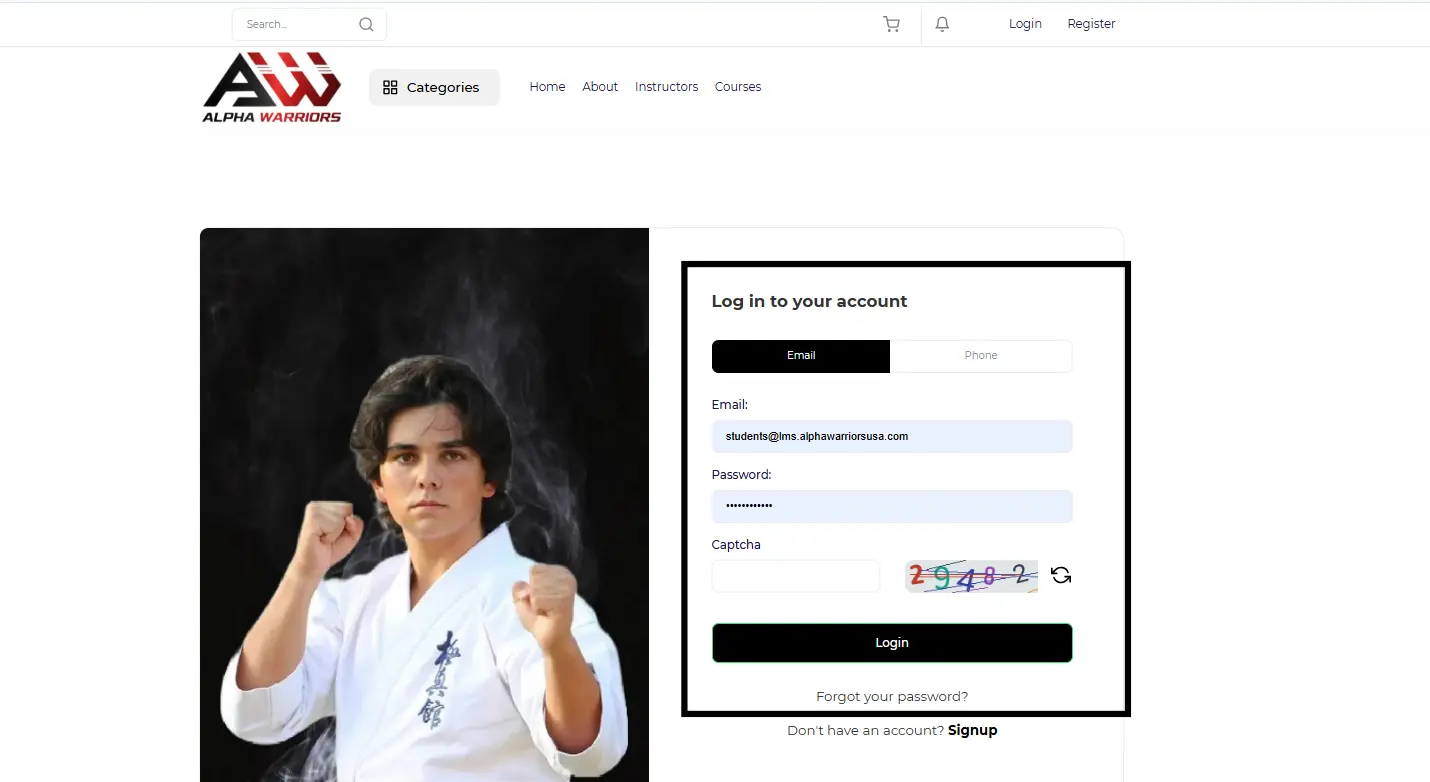
Open the Alpha Warriors login page
On the Alpha Warriors website, select LOG IN in the top navigation. New students can choose REGISTER NOW to create a student account first.
STEP 02 / 05
Sign in to your student account
Enter your email or phone number, password, and the captcha shown on screen. Then select Login. If you are new, use the Signup link beneath the form.
STEP 03 / 05
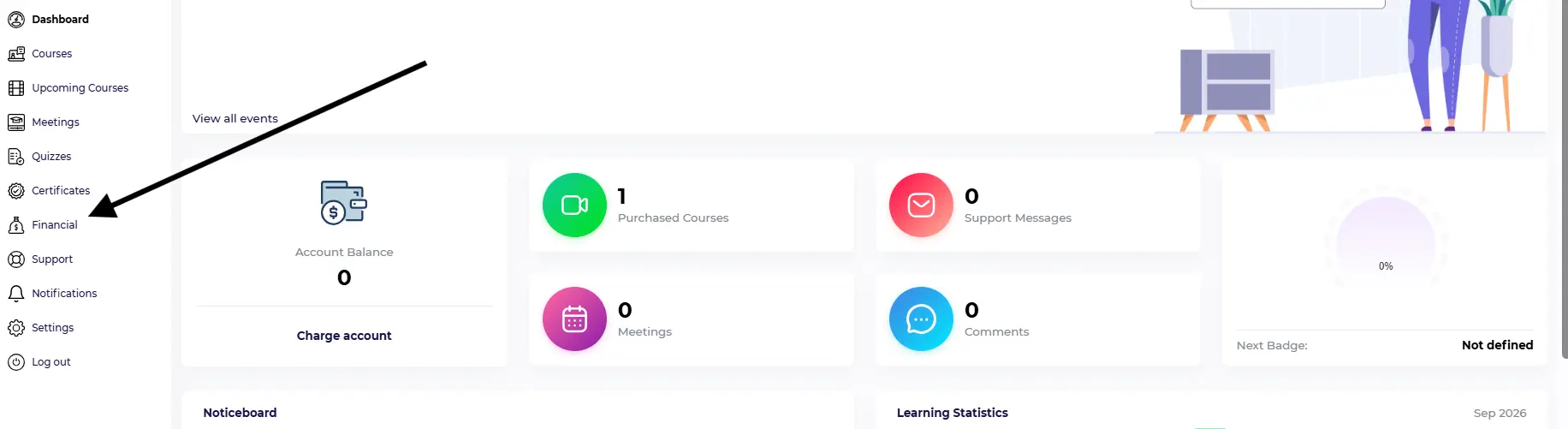
Open Financial in your dashboard
After signing in, select Financial from the left menu in your student dashboard.
STEP 04 / 05
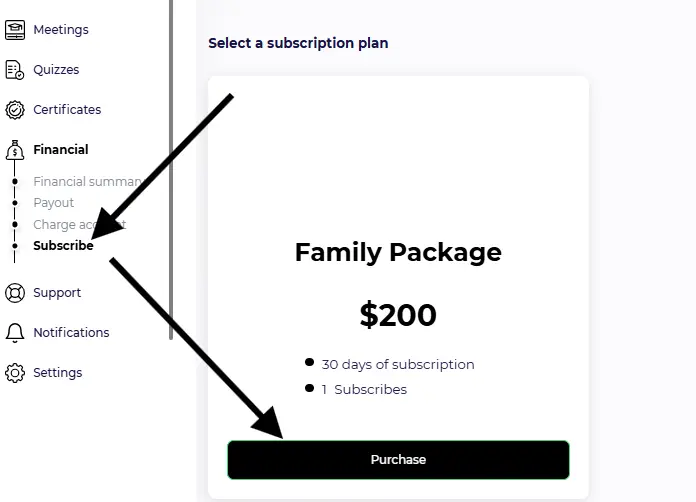
Choose a subscription and purchase
Under Financial, select Subscribe. Review the plan shown in your account, then select Purchase. The screenshot shows a Family Package at $200 as an example; check the plan and price displayed for you.
STEP 05 / 05
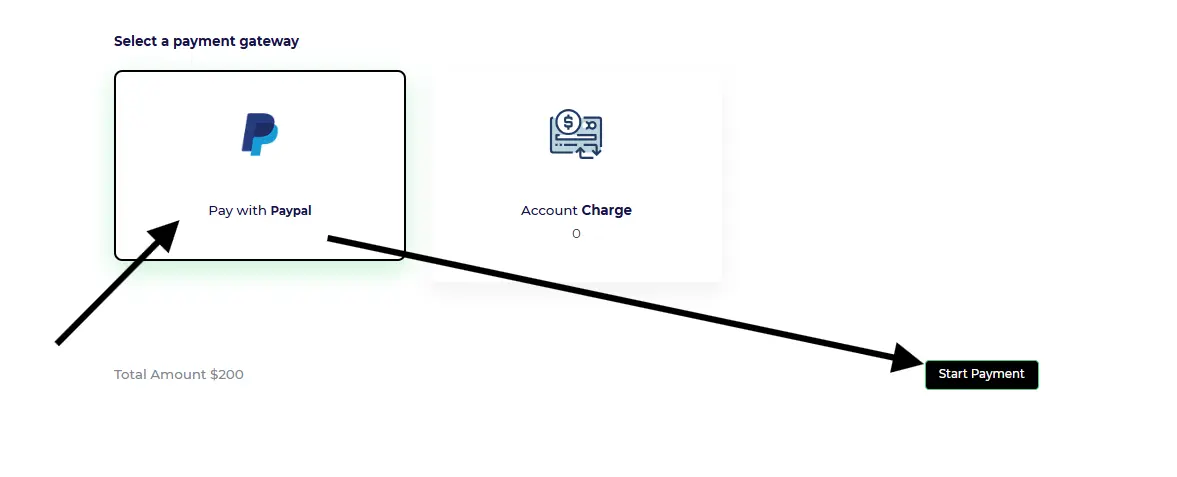
Select PayPal and start payment
Select Pay with PayPal and review the total amount displayed. Select Start Payment, complete the payment steps, and check your account for confirmation.
Need Help?
If you have any difficulty subscribing, accessing your account, or renewing your plan, please contact the Alpha Warriors team for assistance.
Frequently Asked Questions
Contact the Alpha Warriors team to ask about available plan changes and when they can take effect.
Sign in to your student account and look for your plan, membership, or subscription area. If you cannot find it, contact support.
Check your account for a renewal option. If you do not see one, contact support for the correct steps.
Contact support and describe the problem. Avoid sending full payment card details in your message.